 rdark
rdarkHow to Verify a Darknet Market with PGP
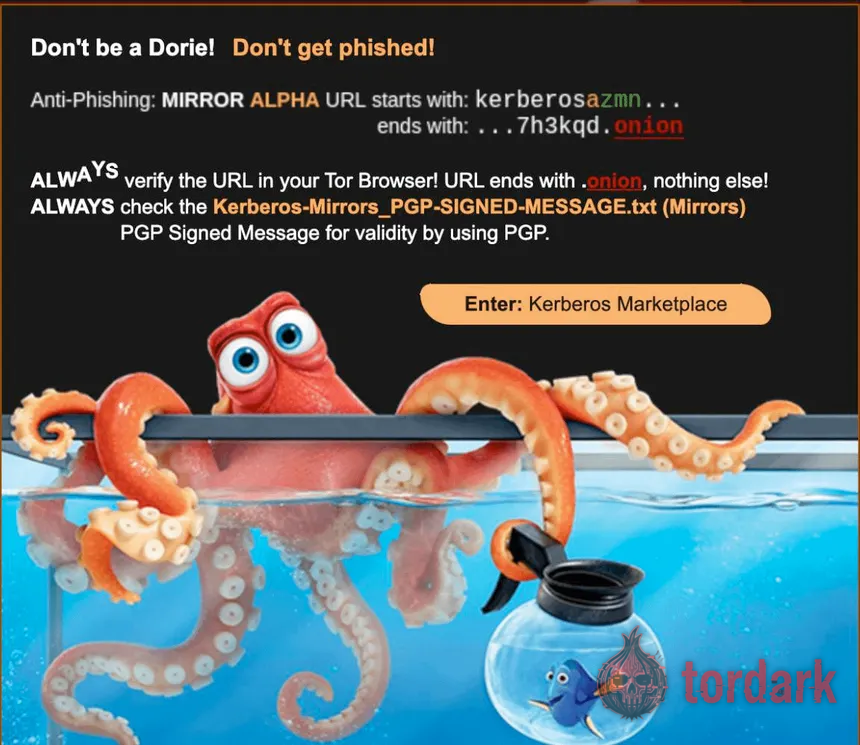
Learning how to verify a darknet market is the single most valuable skill on this site, because it is the one check that separates a genuine address from a clone built to drain your wallet — and phishing, not law enforcement, is what empties the most wallets on this network. Verification rests on PGP, a decades-old public-key system, and on one simple idea: an operator can sign a message with a private key nobody else holds, and you can confirm that signature with their public key. Appearance can be faked perfectly; a signature cannot be faked at all. This guide walks the whole process end to end — the tools, the steps in both the graphical and command-line tools, how to read the result, the fingerprint check that defeats fake keys, and the moments when even a valid signature is not enough.
What PGP verification actually proves
A valid PGP signature proves three things, all of them useful and all of them narrow. It proves authenticity — the message came from the holder of a specific private key; integrity — it has not been altered by even one character since it was signed; and non-repudiation — the signer cannot later deny having produced it. For a market, the message in question is a list of genuine onion addresses, often published as a signed "mirrors" block or alongside a warrant canary. When you validate it, you are not trusting the website, its reputation, or a directory that listed it; you are trusting mathematics that a clone cannot reproduce.
The catch lives in the word "specific." A signature only means something if you have the right public key, because the math confirms the message matches whatever key you check it against — genuine or fake. That is why this guide spends as much time on sourcing and fingerprinting the key as on running the check itself: the verification is only as trustworthy as the key behind it.
The tools you need
PGP verification needs one piece of software and two inputs. The software is an OpenPGP implementation, and which one you pick is purely interface preference — both do the identical check underneath:
- Windows: Gpg4win, which includes the graphical Kleopatra.
- macOS: GPG Suite (GPGTools).
- Linux / Tails: GnuPG is preinstalled on most systems; run it from the command line.
- Android: OpenKeychain, for the rare times you verify on a phone.
The two inputs are the operator's public key and the signed message you want to check. Install one of the tools before you go looking for any address, so the check is ready the moment you need it. The community's collaborative reference, the Darknet Bible, documents the same Kleopatra and GnuPG steps from the user side if you want a second walkthrough alongside this one.
How to verify, step by step
The process is short once the tooling is in place, and it is the same logic whichever tool you use. The graphical and command-line paths run side by side below.
- Get the public key from independent sources. Obtain the operator's key from two or more places that do not depend on each other — the market's Dread profile, its login page reached through an already-verified link, an established directory — so a single compromised source cannot hand you a false key.
- Import the key. In Kleopatra, copy the whole key block (including the BEGIN and END lines) and use Tools then Import, or Notepad then paste. On the command line, save it to a file and run
gpg --import market-key.asc. - Confirm the fingerprint. Note the 40-character fingerprint your tool shows (
gpg --fingerprinton the CLI) and compare it against the fingerprint the operator published on an independent source. This is the step covered in detail below, and the one most people skip. - Fetch the signed address list, copying the entire block from
-----BEGIN PGP SIGNED MESSAGE-----through-----END PGP SIGNATURE-----. A single missing or extra character will make verification fail. - Verify it against the imported key. In Kleopatra, paste into the Notepad and click Decrypt/Verify. On the command line, save the block to a file and run
gpg --verify signed-mirrors.txt. Then read the result, as described below.
Only the addresses inside a validly signed message, checked against a key whose fingerprint you confirmed, should be treated as real. Everything else is appearance.
The step that defeats fake keys
This is the step that turns PGP from theatre into protection, and it is the one most guides bury. The attack it defeats is simple: anyone can generate a PGP key bearing a market's name, sign a message full of phishing addresses with it, and publish the fake key and the fake message together. Run your check against that key and it reports a cheerful "Good signature" — because the message genuinely matches the key, which is genuinely a forgery. The signature math is working perfectly; it just vouches for the wrong author.
The defense is the fingerprint, the 40-character hexadecimal string that uniquely identifies a public key. After importing a key, compare the fingerprint your software displays against the one the operator has published on an independent, trusted source — its Dread profile, a different verified directory — character for character. If every character matches, you have the real key and its signatures mean what they claim. If they do not match, someone handed you a fake key; do not proceed until you find the genuine one. Cross-referencing the addresses alone is not enough, because a phishing address can propagate across several sites at once; the fingerprint is what anchors the whole chain of trust to the real operator.
Reading the result
The output of a verification is a short verdict, and knowing how to read each one keeps you from talking yourself past a warning. Kleopatra shows these in green or red; the command line states them in plain text.
| Result | What it means | What to do |
|---|---|---|
| Good signature (from a fingerprint you confirmed) | The message is authentic and unaltered, and the key is the operator's | Trust the addresses inside it |
| Good signature (key not yet fingerprint-checked) | The message matches this key — but the key might be fake | Confirm the fingerprint before trusting anything |
| BAD signature | The message was altered, or you copied it imperfectly | Stop; re-copy the full block and retry, then treat as hostile |
| No public key / unknown key | You have not imported the key that signed this | Import the correct key from an independent source and retry |
| Good signature, key expired | Valid math, but the key passed its intended end date | Treat with caution; look for a newer, cross-signed key |
The "this key is not certified with a trusted signature" notice that often accompanies a good result is normal: it refers to the web of trust, not to the validity of the signature you just checked, and can be ignored once the fingerprint is confirmed.
Why a signature beats a padlock
On the ordinary web, trust comes from a certificate authority: a third party vouches that a site is who it claims, and the browser shows a padlock. Onion services work differently, and arguably better. A current "v3" onion address is itself derived from the site's public key, so the address and the identity are mathematically bound, and there is no separate authority to compromise or trick into issuing a false certificate. PGP verification extends that same idea to the operator's announcements, letting them sign statements only their private key could have produced.
The practical upshot is that you are not asked to trust an intermediary at all. You check the math directly, against a key you sourced and fingerprinted yourself, which removes the entire class of attacks that target certificate authorities. A padlock says someone vouched for this site; a valid signature says the keyholder wrote this exact message. The second claim is stronger, and on the dark web it is the only one on offer.
When verification will not save you
Here is the limit worth stating plainly: PGP confirms that an address is authentic, not that the market behind it is safe. A genuine, correctly signed market can still exit-scam tomorrow or be quietly operated by police, exactly as Hansa was in 2017 while Dutch authorities ran it. Verification defeats phishing; it does nothing against a market's own collapse, an exit scam, or a covert seizure.
There is also a freshness trap. Operators publish a signed canary that is valid as of a date, and during a real address rotation a canary can be days stale — still cryptographically "valid," but no longer current. Read the date on the signature rather than treating "valid" as "current," and be wary of a canary that has stopped updating on its usual schedule, which the community treats as a silent alarm that a site may be compromised. Use verification for exactly what it does, and keep the closed-market record in mind for what it cannot.
The common mistakes
Most failed verifications are not cryptographic; they are procedural. A short list accounts for nearly all of them:
- Skipping the fingerprint check. Importing a key and verifying against it proves nothing if the key itself is fake. This is the mistake that quietly defeats everyone who makes it.
- Sourcing the key from the same page as the address. A poisoned source that supplies both the key and the message can validate its own forgery. Always source the key independently.
- Copying the signed block imperfectly. A missing BEGIN line, a dropped character, or an added space breaks the signature; copy the whole block exactly.
- Treating "valid" as "current." A stale-but-valid canary can point at a rotated address; check the date.
- Verifying once and trusting forever. Addresses change; the check is per-visit, not one-time.
Common questions about PGP verification
Where do I get a market's real public key?
From multiple independent community sources, cross-checked against each other, never from a single page that also hands you the address. Common sources are the market's official Dread profile, its login page reached through an already-verified link, and an established directory; if two of them agree on the key, your confidence is far higher than any one site can give. The whole point of sourcing the key separately is that a single poisoned source cannot then validate its own forgery.
What does "Good signature" actually mean?
It means two specific things and no more: the message was signed by the holder of the key you checked it against, and it has not been altered by a single character since. That is exactly what you want for a market's address list — proof the operator wrote it and that no one tampered with the addresses. What it does not tell you is whether the key itself is genuinely the operator's, which is why confirming the fingerprint against an independent source is the step that makes "Good signature" meaningful.
What if the signature does not validate?
Stop. A "BAD signature" or "unknown key" result means the message was altered, you copied it imperfectly, the key is wrong, or the address is a forgery — and none of those is safe to proceed on. Re-copy the entire signed block including the BEGIN and END lines, re-fetch the key from a known-good source, and try again; if it still fails, treat the address as hostile. A failed check is a result, not an error to work around.
What is a key fingerprint and why must I check it?
A fingerprint is the 40-character hexadecimal string that uniquely identifies a public key. Checking it is what defeats the fake-key attack: anyone can generate a PGP key bearing a market's name, sign a message full of phishing addresses with it, and publish both, so your tool would happily report "Good signature" against that fake key. Comparing the fingerprint your software shows against the one the operator published on an independent source — character for character — is how you confirm the key is really theirs before you trust anything it signed.
Kleopatra or GnuPG — which should I use?
Either performs the identical cryptographic check; the choice is interface preference. Kleopatra (bundled with Gpg4win on Windows, with GPG Suite as the macOS equivalent) gives you a graphical Notepad where importing a key and verifying a message are a few clicks, which most newcomers prefer. GnuPG on the command line is three or four short commands you will memorize quickly and is preinstalled on most Linux systems and on Tails. Pick whichever you will actually use consistently — the habit matters more than the tool.
Is PGP hard to learn?
PGP has a reputation for difficulty that modern tools have mostly retired. With Kleopatra's graphical interface, importing a key and checking a signature are a few clicks, and the GnuPG command-line path is three or four commands you will memorize after a couple of uses. The concepts take an afternoon; the habit takes a week. Given that the alternative is trusting addresses on appearance, the learning curve is the cheapest insurance in this entire field.
Do I need to verify every single time?
Yes, every time, because addresses rotate and a link that was genuine last month can be dead or hijacked today. Verification is not a one-time setup but a per-visit habit, the same way you would check a lock rather than assume it because you locked it once. The check takes under a minute once the key is imported, which is a small tax for the only guarantee on offer.