 rdark
rdarkHow to Access the Dark Web Safely
How to access the dark web is the easy half of the question, and almost every guide answers only that: install Tor, click connect, you are in. The hard half — doing it without leaking who you are or walking into a trap — is the part those guides reduce to a checklist, and a checklist is not a defense. Reaching an onion service takes one download. Staying anonymous while you do it depends on a handful of deliberate habits and, above all, on matching your setup to the threat you actually face. This guide covers the real path in, the tools worth adding and the ones sold to you for no reason, how to get in when Tor itself is blocked, and the specific mistakes that undo anonymity in a single click.
Start with your threat model
Before any download, answer one question: who are you hiding from? The honest answer decides everything that follows, and it is the question every checklist skips. "The dark web" is just the slice of onion services that ordinary search engines do not index — a neutral network, not a place — and the right way to reach it for a privacy-conscious reader is wildly different from the right way for a source leaking documents under a hostile government. Most people who get hurt have either built far less protection than their situation demands or fixated on exotic tooling while ignoring the one habit that would have saved them.
Three profiles cover almost everyone. The curious reader or researcher wants to see what is there and not be profiled for it; their adversary is commercial tracking and an idle ISP, and a correctly configured Tor Browser is already more than enough. The source, activist, or journalist operating under surveillance or censorship faces a state-level adversary that can pressure an ISP or seize a laptop, and needs amnesia and compartmentalization — Tails, bridges, a device that keeps no record — not just a browser. The market buyer faces a stranger mix: scammers cloning addresses, law enforcement building cases from the public blockchain, and the market itself, which may simply vanish with the escrow. Each of these calls for a different build, and the rest of this page is organized so you can take the parts that match yours and ignore the parts that do not.
How to access the dark web, step by step
The baseline route in is the same for everyone; the discipline around it is what changes. These steps reach any onion service while keeping your connection anonymous, and they are deliberately short, because added complexity is added risk.
- Get Tor Browser from the source. Download it only from the official Tor Project site (or, on Android, F-Droid; if the site is blocked, the GetTor service and the EFF and Calyx Institute mirrors serve it). Never a search-ad result or a "modified" build — clones seeded through SEO-poisoned results are a standing attack, and they exist to ship you spyware.
- Verify the download before you run it. A genuine package is signed by the Tor Project, and checking that signature is the difference between the real browser and a convincing fake. The full walkthrough is in our Tor Browser setup guide; do it once and the habit transfers to every signed thing you handle afterward.
- Raise the security level to "Safest." Click the shield beside the address bar, open Settings, and choose Safest. This disables JavaScript on every site, along with several other active-content features. It is the single highest-value setting you will touch, because JavaScript is the classic deanonymization vector — the 2013 Freedom Hosting takedown deanonymized Tor users through a Firefox JavaScript exploit, and "Safest" closes that entire class. Do not try to recreate this by editing
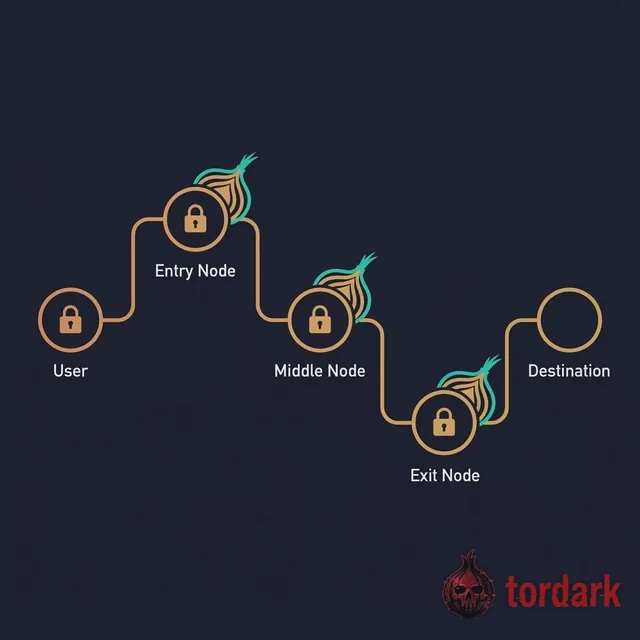
about:configor hand-tuning NoScript; non-standard tweaks make your browser unique and can deanonymize you. Use the preset. - Connect, and confirm you are actually on Tor. Click Connect; if your network blocks Tor, Connection Assist will offer a bridge (see below). The first circuit takes a few seconds to build through a guard, a middle, and an exit relay. Tor Browser tells you when you are connected, and check.torproject.org confirms it — ignore advice to "check for IP leaks at ipleak.net," which applies to routing your whole system through a VPN, not to Tor Browser itself.
- Leave the window as it is, and stay a stranger. Do not maximize the window or add extensions — both make your fingerprint unique and defeat the uniformity that protects every Tor user. Do not sign into any account tied to your real name. From here you can enter an onion address directly, or discover one through an onion search engine — but read the next sections before you trust anything you find.
The VPN question, answered honestly
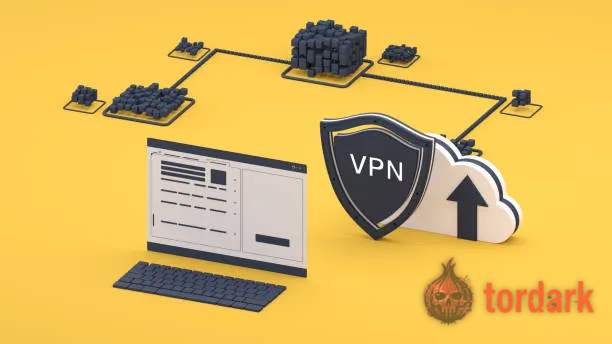
Almost every "how to access the dark web" article makes a VPN step one or two, and most of them earn a commission when you buy one. The Tor Project's own position is quieter and more useful: for the great majority of users, a VPN is unnecessary, and the wrong one is actively worse than none. Tor already hides your IP from the sites you reach and hides your traffic's content from your ISP. A VPN does not add a second layer of anonymity on top of that — it swaps one party who can see you connect to Tor (your ISP) for another (the VPN company), and you are now trusting that company's no-logs claim with no way to audit it.
There is one legitimate use, and it is narrow: hiding the fact that you use Tor at all from your ISP or network. In a few places, connecting to Tor itself draws attention, and a trustworthy VPN — or, better, a Tor bridge, covered below — can mask it. If you go the VPN route, the order is VPN first, then Tor on top of it ("Tor-over-VPN"); the reverse arrangement, routing Tor and then a VPN, breaks Tor's anonymity assumptions and is a mistake people make trying to be clever. Choose the provider for a reason you can defend, not because it bought the top of a search page, and remember that the highest-value habit on this list is still the "Safest" setting, not stacking tools.
When the browser is not enough: Tails and VMs
Tor Browser protects your connection; it does nothing about the device underneath it. If your threat model includes someone seizing or examining that device — the situation for sources, activists, and anyone facing a serious adversary — you need the machine to keep no record, and that is a job for an amnesic operating system rather than a browser setting.
Tails is the standard answer: a Debian-based system you boot from a USB stick that runs entirely in RAM, routes every connection through Tor, and overwrites its memory on shutdown so nothing survives the session. It joined the Tor Project officially in September 2024, consolidating the two best-known anonymity tools under one roof. Because it forgets by design, it sidesteps the whole class of mistakes where a downloaded file or a cached page betrays you later; an optional encrypted Persistent Storage exists for the few things you truly need to keep, though every persisted item is one more thing that can be found. For a setup you run continuously rather than from a stick, Whonix takes a different route to the same goal, splitting the system into an isolated gateway and workstation so the part you work in never learns your real IP even if it is compromised. Most readers will never need either — but if you are weighing "is Tor Browser enough," the deciding factor is whether your adversary can reach the hardware, not the network.
Accessing the dark web on a phone

You can reach onion services from a phone, and for a casual look it is fine; for anything sensitive it is the weaker choice, and it is worth understanding why before you rely on it. The two platforms are not equal. On Android, the Tor Project ships an official Tor Browser for Android, available from the Tor Project site, Google Play, and F-Droid, and its companion app Orbot can route other apps through Tor; this is a genuinely supported path. On iPhone and iPad there is no Tor Browser at all, because Apple requires every browser to use its WebKit engine, which strips out protections Tor Browser depends on. The Tor Project instead points iOS users to Onion Browser, an open-source app built by someone who works closely with the project, optionally paired with Orbot for stronger routing — but it openly cannot match the desktop browser.
Beyond the app gap, a phone is a busy device: background apps phone home, notifications surface, and the "Safest" discipline that is one click on the desktop competes with a platform engineered around convenience. None of that makes mobile access unsafe for low-stakes reading. It does mean that if your reason for being on the network is one where deanonymization carries real consequences, a computer — ideally one running Tails — is the correct tool, and the phone is a compromise you should make knowingly.
Getting in when Tor is blocked
For a large share of the people searching how to access the dark web, the obstacle is not setup but a network that refuses to let Tor connect at all — a national firewall, a campus or workplace filter, an ISP that blocks the public relays. Tor is built for exactly this, and the tools live one screen into the browser. When a direct connection fails, Tor Browser's Connection Assist tries to fetch a working configuration automatically; failing that, you reach for a bridge, an unlisted entry relay that a censor's blocklist does not know about.
Bridges come in flavors, and the differences matter where censorship is sophisticated. obfs4 disguises Tor traffic so it does not look like Tor; Snowflake bounces you through a rotating pool of volunteer browsers, which makes it hard to block without breaking ordinary web traffic; and WebTunnel, the newest option, wraps the connection to look like everyday HTTPS browsing, so blocking it means blocking the normal web. You can request bridges inside the browser's connection settings or, if even that is blocked, from the Tor Project's bridges service over email. This is the most legitimate and least discussed form of "accessing the dark web," and it is the same machinery that keeps the open web reachable for people whose governments would rather it were not.
Why a site that loads can still be a trap
The network protects how you connect; it does nothing to protect you from connecting to the wrong place. A modern onion address (a "v3" address) is 56 characters long and is derived from the site's own cryptographic key, which makes a genuine address self-authenticating — if it loads, you are talking to the holder of that exact key and not an impostor in the middle. That property is powerful and frequently misunderstood, because it protects the address, not your knowledge of which address is real. A phishing clone simply registers a different key whose address differs by a couple of characters your eye will never catch, copies the storefront pixel for pixel, and waits.
So the rule that matters once you can reach the network is this: discovery and trust are different steps. An onion search engine or a directory can tell you an address exists; only verification tells you it is the right one. For anything that holds money or identity — a market above all — confirm the address against the operator's PGP-signed list before you load it, the method in our PGP verification guide. The closed-market record is full of users who reached a perfectly functional site that happened to be a clone, or a real market days before it drained their escrow; the case-study archive is the clearest argument for treating "it loaded" as the start of caution, not the end of it.
There are also videos on this topic showing how a site that loads can still be a trap.
Is it legal? Is it dangerous?
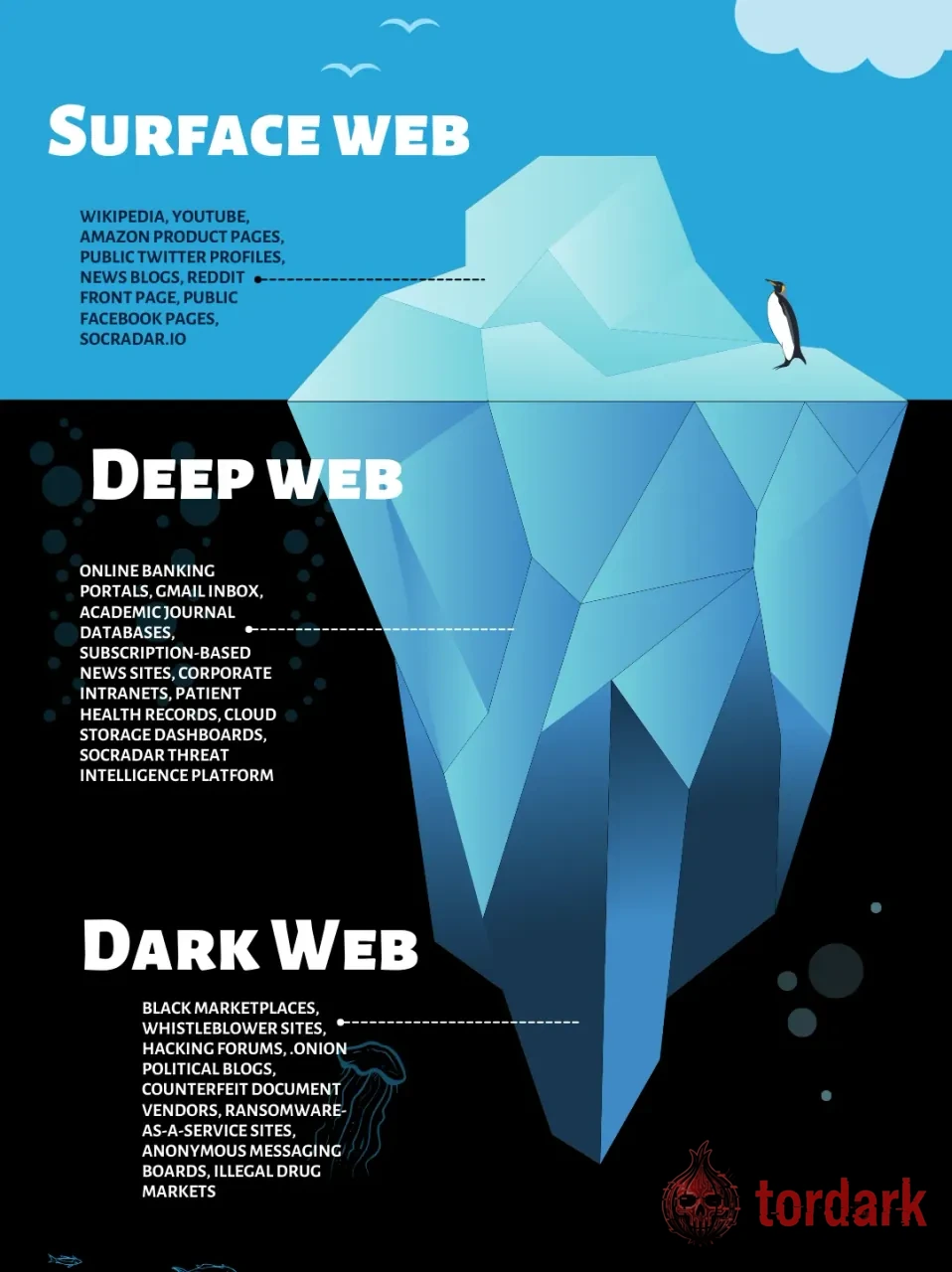
Whether accessing the dark web is legal depends on what you do, not on the act of connecting. In most countries, running Tor and visiting onion services is entirely lawful; the network is used by major newsrooms to receive documents, by people reaching the open web their governments censor, and by anyone who simply prefers not to be tracked. What is illegal is the conduct that happens to be reachable there — buying controlled goods chief among it — and that is a crime whether it occurs over Tor or anywhere else. Connecting is lawful in most places; specific purchases are not, and no amount of anonymity changes that.
The danger is real but misfiled. People expect the threat to be technical — some exotic exploit waiting on the other side — when in practice the money lost on this network is almost always lost to another person. Phishing clones, exit scams, and ordinary fraud are the everyday hazards, and they cost people far more often than any zero-day. Malware exists too, which is exactly why "Safest" and a flat refusal to download and open unknown files matter. But the realistic risk for a careful visitor is being deceived, not being hacked. Treat the network as neutral and the people on it as unvetted, and you have the threat in the right proportion.
For more on the legal and safety questions, there are videos on this topic.
The mistakes that actually deanonymize people
Most deanonymization is self-inflicted, and a short list of errors accounts for the bulk of it — none of them exotic, all of them ordinary browsing habits that are harmless on the open web and dangerous here. Knowing the specific mechanism is what makes them avoidable.
- Logging into a real-name account inside Tor. Open your real email or a social profile in the same session and you have linked an anonymous circuit to your identity in one step. It is the most common mistake by a wide margin, and no tool prevents it — only the habit of treating the Tor session as a separate identity does.
- Maximizing the window or installing add-ons. Tor Browser keeps everyone's fingerprint uniform on purpose; resizing the window to an unusual dimension or adding an extension makes yours unique, which is precisely what an observer needs to single you out across sessions.
- Opening a downloaded file outside Tor. A document saved during a session and opened later in a normal application can reach out to a remote server for content and reveal your real IP address the moment it does. This is the trap Tails removes by never persisting anything.
- Leaving the security level at "Standard." That keeps JavaScript enabled and reopens the exact exploit class "Safest" exists to close. Convenience is the cost of safety here, and it is a cheap one.
- Trusting a link because it looked right. Covered above, and worth repeating because it is the costliest: a clone differs from the real address by characters you cannot eyeball, and the only answer is verification, not recognition.
Anonymity is brittle in a specific way: it survives a hundred careful sessions and dies on one careless login. The setup is the easy part; the consistency is the whole game.
Common questions about accessing the dark web
Do I need a VPN to access the dark web?
For most people, no. Tor Browser already hides your IP address from the sites you visit and the content of your traffic from your ISP, and the Tor Project does not treat a VPN as necessary. A VPN changes your threat model rather than improving it: it can conceal that you use Tor from your ISP, but it adds a company that can log you, and a badly chosen provider is worse than none. If you add one, run the VPN first and Tor on top of it, choose a provider you have real reason to trust, and remember the "Safest" setting matters more than stacking tools.
Can I access the dark web on a phone?
Yes, but it is the weaker option. On Android, install the official Tor Browser for Android from the Tor Project, Google Play, or F-Droid. On iPhone there is no Tor Browser, because Apple forces browsers onto WebKit; the Tor Project points iOS users to Onion Browser, optionally with Orbot, but it cannot match desktop protections. Phones also run background apps that can leak. If the stakes are real, use a computer — ideally one running a verified Tor Browser or Tails.
What do you actually need to access the dark web?
Less than most guides imply: the official Tor Browser and a clear idea of what you are trying to do. That alone reaches any onion service. Everything beyond it — Tails, a virtual machine, bridges, a VPN — exists to answer a specific threat, not to be a default checklist. Add a tool because your situation calls for it, not because a listicle told you to.
Is it illegal to access the dark web?
In most countries, no. Running Tor and visiting onion services is lawful, and the same network is used by journalists, researchers, and people evading censorship. What is illegal is specific conduct that happens to be available there, such as buying controlled goods, and that is a crime regardless of the network. Connecting is lawful in most places; particular purchases are not.
How do I find dark web sites once I am connected?
There is no Google for onion services, so you discover addresses through onion search engines such as Ahmia and through curated directories, then verify before you trust. Discovery and trust are separate steps: a search result tells you an address exists, not that it is genuine. For anything that touches money or identity, confirm the address against the operator's PGP-signed list before you load it.